Generate a product listing
A photo in, a finished listing out — title, description, bullet points, SEO fields and a price suggestion.
A photo in, a finished listing out — title, description, bullet points, SEO fields and a price suggestion.
Upload
- Go to Products → Product Listing Generator
- Choose the Platform this listing is for — Custom E-commerce Store, WooCommerce, Shopify, Magento, Amazon, eBay, Etsy, or Walmart. This is recorded with the listing; it doesn't change the generated text today — every platform gets the same title and description.
- Upload one or more product photos
You can queue up to 20 photos at a time — PNG, JPG, WebP, GIF, or BMP, up to 5MB each.
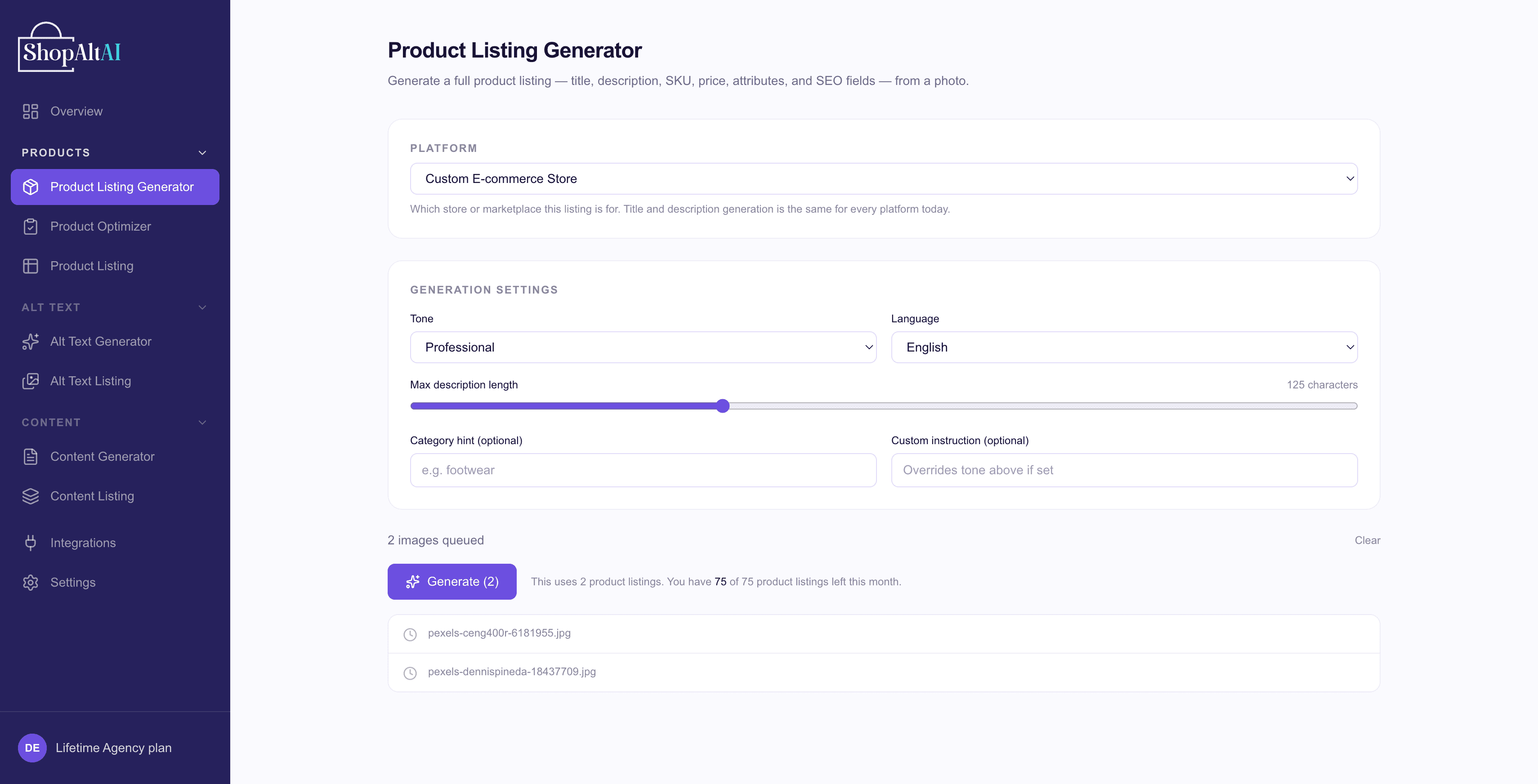
Set the tone before generating
Below the upload area you can choose how the writing should sound:
Formal · Friendly · Casual · Professional · Diplomatic · Luxury · Engaging · Persuasive · Informative · Premium · Creative · Conversational
Pick the one that matches your store. A luxury candle and a hardware shop want different voices, and it's easier to set this now than to rewrite afterwards.
- Category hint (optional) — e.g. "footwear" — nudges the listing toward the right category-specific details
- A custom instruction (optional) — anything specific you want included or avoided. "Mention it's handmade in Portugal" or "never use the word 'exquisite'". If set, it overrides the tone above.
Note: English is the only output language at the moment.
- Click Generate
Review what was written
For a single photo, ShopAltAI takes you to the finished listing automatically. For a batch, each row gets a View listing link.
You'll see:
- Title
- Description
- Bullet points
- SEO title and meta description
- Price suggestion
- Attributes and tags
Edit anything
Every field is editable. Change what you want, then save.
If a whole field is wrong, use Regenerate on that field alone rather than generating the product again — it costs less and keeps the rest.
Export
From Product Listing, select what you want and export. Useful if you're uploading to a platform ShopAltAI doesn't connect to directly.
Note: Product listings are deleted 30 days after generation — permanently, with no warning. Export or use it before then if you want to keep it. See Credits and plans.
Prefer to watch? See the video walkthrough.