Settings: your account and keys
Where your API keys, BYOK key, plan, payment history and account live.
Everything about your account lives in one place.
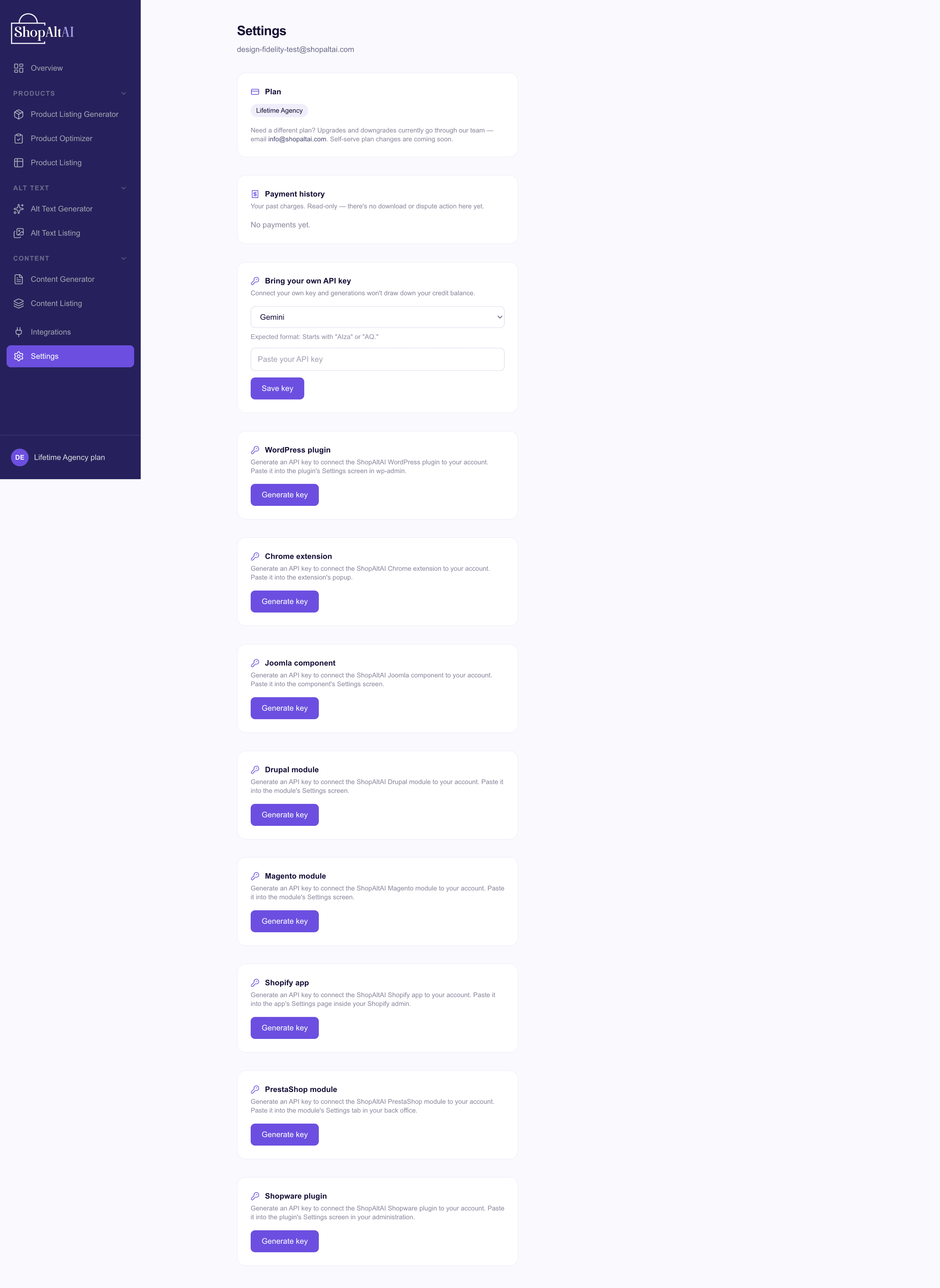
What's here
Integration API keys — generate a key for each platform you connect. One key per site, so you can revoke one without breaking the others. See Get your ShopAltAI API key.
Bring your own key — connect your own AI provider key for unlimited generation. See BYOK.
Your plan and allowance — what you're on, and how much of this month's allowance is left for each tool. For what a credit is and what happens when you run out, see Credits and plans.
Payment history — past payments and invoices, if you're on a paid plan.
Account — your email address and password.
Changing your password
Use Forgot password on the login page rather than changing it here — the emailed link is the reliable route, and it works whether or not you're currently signed in.
Two things worth knowing
Note: Integration keys are shown once. Copy a key when you generate it. If you lose it, generate a new one and update wherever it was used — there's no way to retrieve the original.
Note: A BYOK key and an integration key are different things. An integration key (sa_wp_…) identifies you to ShopAltAI. A BYOK key is your own AI provider's key, and it belongs in the BYOK section. Pasting one where the other belongs is the most common setup mistake.